
It’s been a while since I blogged, the past few weeks have been extremely hectic with the storm, work, etc. that I had been neglecting my blog. Anyways, there are a bunch of stuff I could discuss from the past few weeks, but lets focus on one right now. I’m starting from the most recent “happening” – which is how I had just updated my iPhone OS to v3.1.2 1 since the tools for jailbreaking my 3GS was made available only recently.
Now why is this worthy for a blog entry? Maybe it isn’t. Perhaps if you knew the context, it would make more sense. 2 And help you decide if it’s worth taking note of Sufficed to say that this only applies to iPhone users (and those who are planning to get iPhones, I guess)
As people know, I have a factory unlocked iPhone. I paid the extra $$$ just so I wouldn’t have to worry about hacking the baseband to unlocking the thing. This also allows me to upgrade the unit and still be able to use it even if a jailbreak isn’t available yet.
I’ve also been purchasing applications from the AppStore; all the critical applications (e.g. 1Password, PocketMoney, etc.) I use are from there. Simply put, I can afford not to bother jailbreaking as far as using the iPhone is concerned. It’s already an extremely powerful PDA 3 Personal Digital Assistant capable of handling my everyday needs and then some.
Yet, as you can see, I still waited for it to be “jailbreak-able” before I went on with the update… what gives right? It’s because the jailbreaking scene has come up with so much good stuff that the “enhancements” they put in my phone are starting to be indispensable as well.
What makes an iPhone awesome?
So now we get to the meat of the post. I’m here to demonstrate how much extra mileage you can get from your iPhone if you had it jailbroken. And the applications I’m going to present are paid applications as well; yes there’s another “store” which is legitimate 4 Complete with authentication and secure payment methods and available to the jailbreak community. And the “enhancements” the apps in this store bring to the table is far more superior than what any other 3rd party is allowed to come up with in the official AppStore. Don’t believe me? Try these on for size:
QuickReply for SMS
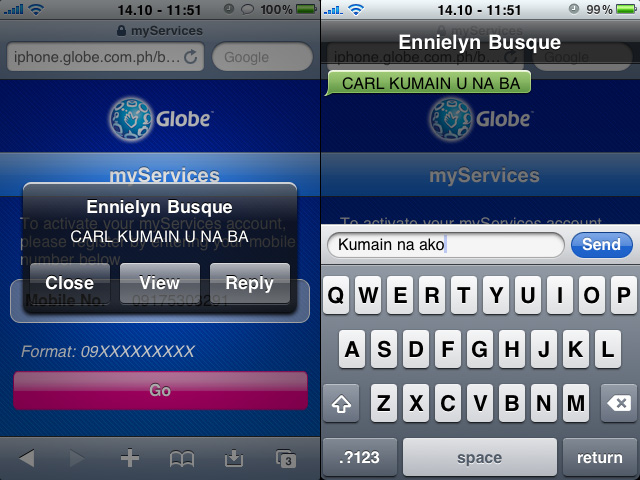
QuickReply is an app that allows you to reply via SMS from anywhere. As you can see in the picture above, I’m able to answer our helper’s SMS without having to leave the app I was currently in (Safari). It even works on the lock-screen. This “hack” makes the whole SMS experience a more intuitive/fluid process for anyone who texts.
Action Menu Plus
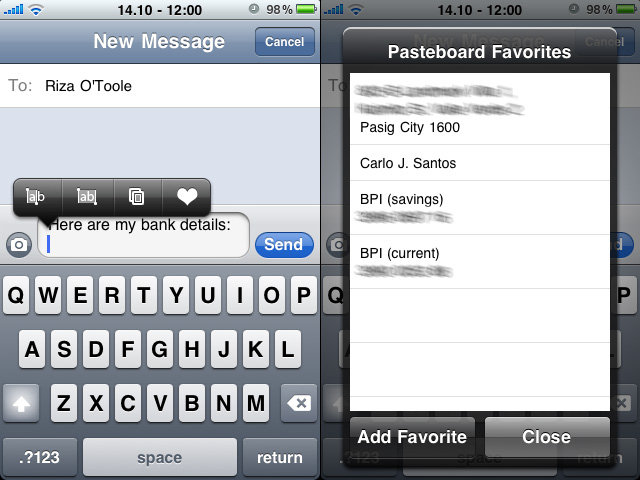
Of course everyone wanted cut and paste on the iPhone, and ever since 3.0 had finally incorporated it, developers have been finding interesting ways to make things even better.
The Action Menu Plus Pack enhances the context menu but putting extra functions when available. In the case of the picture above, you see how it had 2 methods of selecting text, copying and favorites. The Pasteboard favorites feature is very useful (as you can see in the right side) as it allows me to paste long strings of text which I may need for one reason or another (e.g. when someone asks for my address and such.)
There’s no paste icon on the picture since the cliboard was empty at that time, but had it been populated, there’s also a “clipboard history” available, where you can see the different stuff you pasted and easily re-paste past pasted stuff (say that thee times fast!)
Others
There are other little enhancements which I’ll list down:
- Attachment Saver: allows you to download and save attachments outside of Mobile Mail
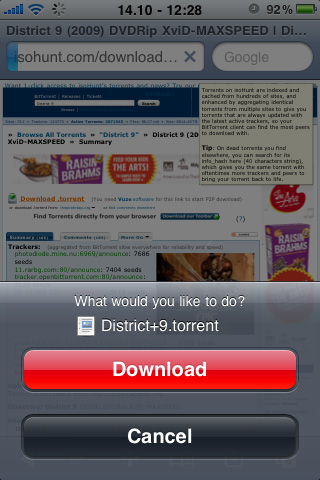
- Safari Download Manager: allows you to download anything from Mobile Safari;
- Cyntacts: a visual hack that displays your contacts pictures in the general contact list view
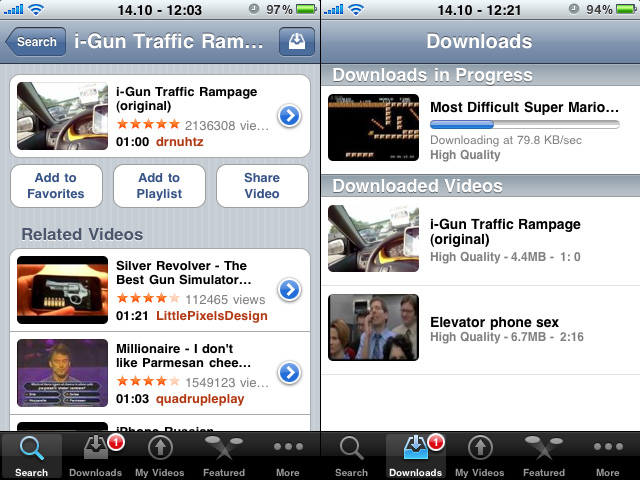
- YourTube: allows you to download YouTube videos to your device permanently for easy offline viewing/saving; 5 This is very similar to MxTube, but YourTube integrates into the official YouTube app, so it’s much more elegant than having a separate application to handle YouTube downloads.
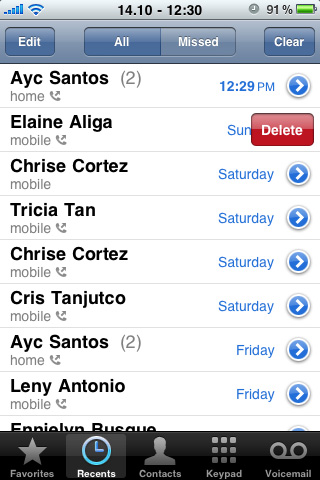
- Recent/CallLog Delete: allows you to selectively erase individual call registers
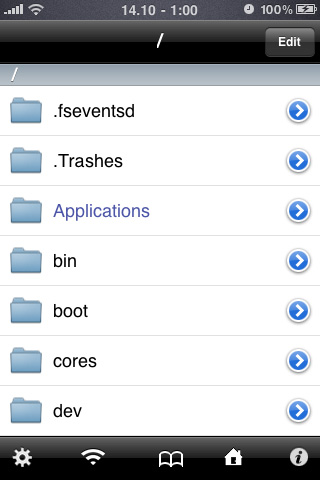
- iFile, which is an unrestricted 6 Meaning you have superuser/root access to your entire filesystem Finder for the iPhone.

PkgBackUp
The only thing that sucks with Jailbroken apps is if you restore/format your phone; iTunes only backs up official application data, not jailbroken apps, and it can be a pain trying to reinstall every single one of them.
Fortunately, there’s also an application that effectively makes a reliable list of all your jailbroken apps installed, and is capable of restoring them after you’ve reformatted.
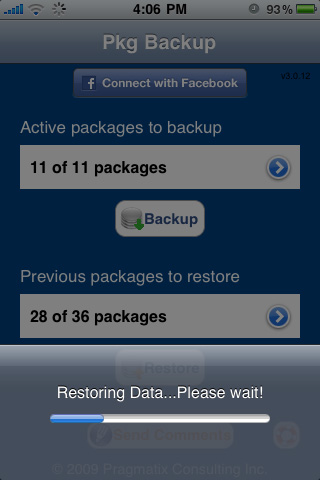
It’s only limited to the applications themselves (not the actual data) but it’s better than nothing.
Luckily for me, most of the jailbroken “apps” I install are system enhancements/tweaks… so “remembering” preferences isn’t really a concern for me since they’re not applicable for the most part.
There are so many other apps I’ve installed from Cydia, but I thought I’d just point out these applications that I deemed worth paying for. I thought it was worth mentioning it because I’ve always believed that if an app is really good, it would be worth the money it commanded. And buying form the Cydia store is a fine example of that… people are used to getting stuff free, but the paid market seems to be thriving just as well in Cydia as it is in the official AppStore.
I hope that would mean that the jailbreaking scene is here to stay – cuz it would suck that I paid for these nifty apps only to find out they die out along the road 😉
Notes
| ⇡1 | since the tools for jailbreaking my 3GS was made available only recently. |
|---|---|
| ⇡2 | And help you decide if it’s worth taking note of |
| ⇡3 | Personal Digital Assistant |
| ⇡4 | Complete with authentication and secure payment methods |
| ⇡5 | This is very similar to MxTube, but YourTube integrates into the official YouTube app, so it’s much more elegant than having a separate application to handle YouTube downloads. |
| ⇡6 | Meaning you have superuser/root access to your entire filesystem |
Cool, Carlo! I especially like the YourTube app. Also QuickReply. Dinosaur na talaga ang Treo 680 ko. If iPhone had a tactile keyboard, I’d have switched ages ago.
In my opinion, hardware keyboards are over-rated. I’m not saying that they aren’t useful; they are. But using the presence/absence of such as a determining factor is not wise, because you’re missing out on so much improvements across the board for the sake of that one missing thing which can be considered trivial in comparison.
In the iPhone’s case for example; I also initially wanted a hardware keyboard… and removable battery. But once you have it or use it… it brings so much more to the table that the “trade-offs” (if you like to call them that) are totally worth it.
The only time I “appreciate” a tactile keyboard is when I need to type without looking… and I can only do that the “keypad” was T9-style. (i.e. 2 = abc, 3 = def, etc.) I find it extremely difficult to type without looking on a full QWERTY keyboard even if I “felt” it. So at that point, the “tactile benefit” is rendered irrelevant.
Since most of the units I consider nowadays (the high-end ones) are all on QWERTY, apart from the “feel” there really isn’t any performance penalty for units without it, you just get used to it that it eventually becomes a non-issue… the difference is, you’ll also be enjoying the other benefits of having an iPhone then 😉
Nooo, tactile feel isn’t trivial for me.. ’cause I use the phone for texting, 80% of the time. I journal in it too, and take notes, when I don’t have my laptop. He he. Why sacrifice the speed of my fingers in texting, which might just frustrate me, only to improve on the other 20%? What I want is a tactile phone that can surf the ‘net too. The Treo 680 does that pero super bagal, and it’s not nice to look at. Am holding out for the Palm Pre but I dunno when it’s gonna be available here. Or maybe a Blackberry.
See, that’s where you’re missing the point. The “speed” is psychosomatic. Example, take someone who is adept at typing on an iPhone to someone adept on typing on a tactile QWERTY… chances are walang difference. The “slowdown” is only due to the (un)learning-curve.
I’d understand if your preference for tactile was analogous to reading a book over an e-reader… but if you’re concern is more on “speed,” all you have to do is get used to the non-tactile and you can be as productive as you were when you had the tactile feedback.
Carlo, I got your point na especially when I tried texting using the iPhone with the landscape keyboard. Two thumbs working instead of the index-finger typing. Now that’s more like it.
Sorry to re-open a long dead discussion, but I just came a cross an article today that corroborates my claim. It’s a very interesting read